
The numbers.
The meaning.
The next question.
A website report should help you understand visitor activity, ongoing care and what happens next.
Start with the business.
- Check the period and website. Confirm what the figures cover before comparing them.
- Read the summary. Look for the activity and changes that matter to your business.
- Review the ongoing care. See what was maintained, what happened and what needs attention.
- Find the next step. Know what the team is handling and whether it needs anything from you.
Open the metric
you want to understand.
Reporting period
The dates the report covers. Compare periods of similar length.
A useful question: Are we comparing the same amount of time?
Visits
Sessions or visits recorded by the connected analytics tool. One person can visit more than once.
A useful question: Which pages or sources brought useful activity?
Mobile traffic
The share using phones or tablets, according to the report’s device grouping.
A useful question: Is the main journey easy to use on a phone?
Search impressions
How often the website appeared in Google Search results.
A useful question: Are relevant pages becoming more visible?
Search clicks
Clicks from a Google result to the website.
A useful question: Which searches and pages are attracting visitors?
Click-through rate
Search clicks divided by impressions for the same data and period.
A useful question: Does the page title match what people are looking for?
Order / booking clicks
Clicks on a tracked link or button. These are not confirmed orders or appointments.
A useful question: Is the next step clear, and can the destination measure completion?
Phone / email clicks
Tracked contact-link interactions, not confirmed conversations or new customers.
A useful question: Are visitors finding a useful way to contact the business?
Software updates
Maintenance activity recorded for website components.
A useful question: What was updated and were important journeys checked?
Availability / incidents
Recorded checks and disruptions within the monitoring coverage.
A useful question: What happened and what did the team do?
Performance checks
A snapshot of conditions during a test; devices and networks can differ.
A useful question: Which visitor experience needs improvement?
Activity and care,
in one understandable update.
This Mystic Pizza II report shows August 1–September 30, 2026. It puts visitor activity first, then explains the maintenance and what the team is watching.
Ordering and contact clicks are website interactions. Completed orders and conversations require separate confirmation.
Explore Palaeli Pro Reports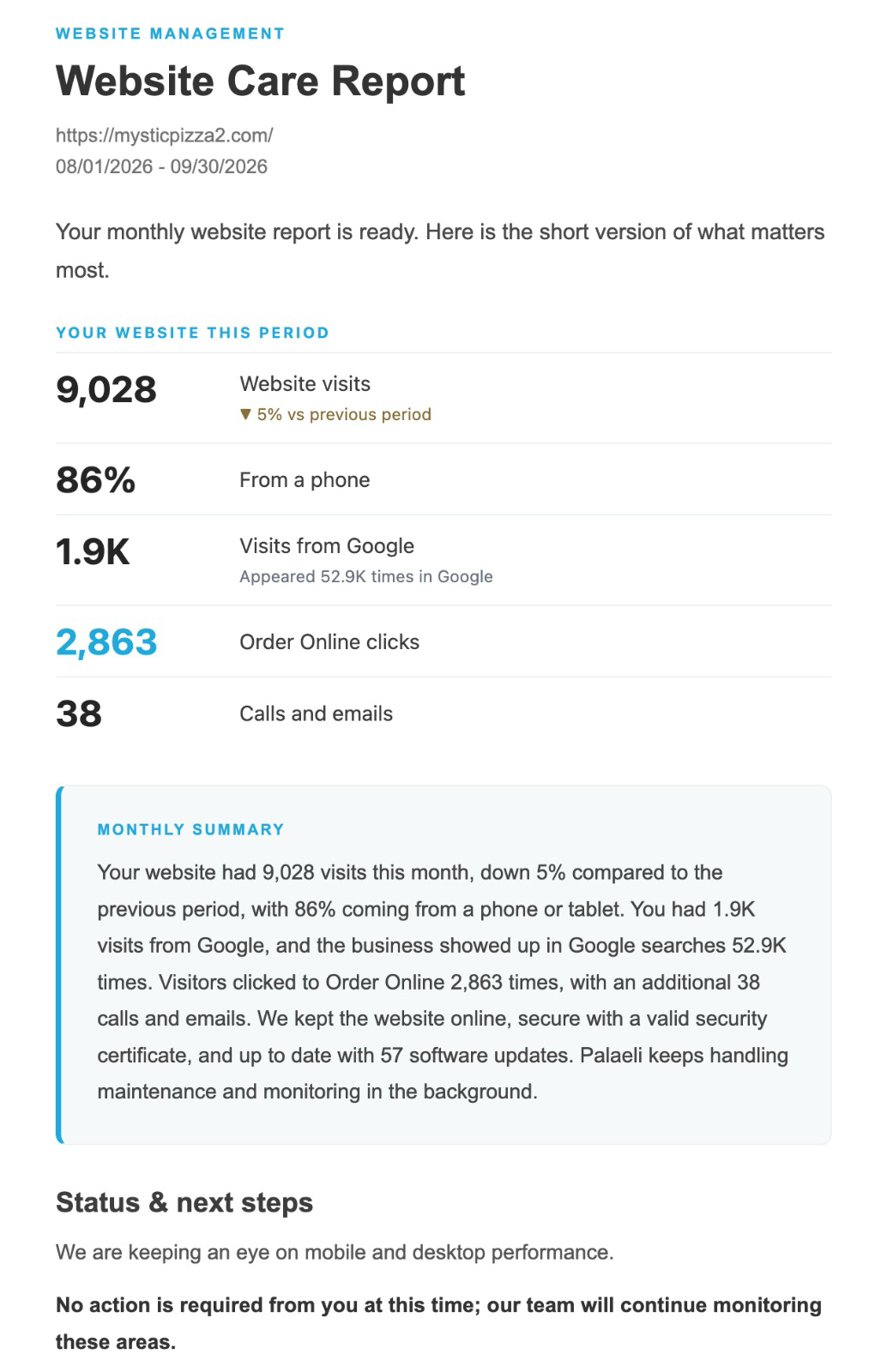
Keep the website working.
Understand the ongoing care.
Our website-care service connects maintenance, monitoring and useful reporting.
Explore website careTalk to Palaeli Studio